
- Select Finance Desk – Nominal from Caliq Menu.
- Select F9 Nominal Structure.
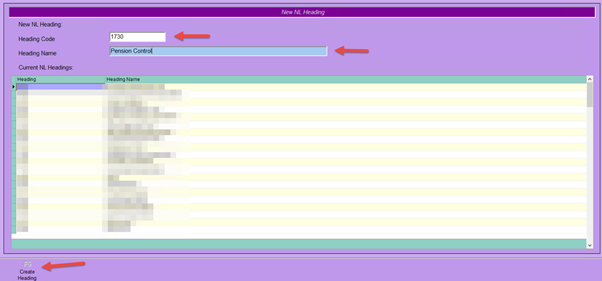
- Select F5 New NL Heading.
- Enter the new heading required
- Example: 1730
- Enter the Heading Name.
- Example: Pension Control
- Select F5 Create Heading.
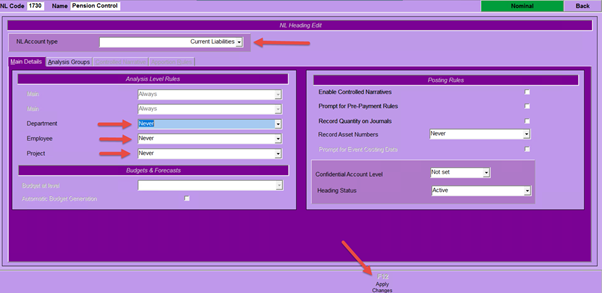
- On the following screen, select the correct Account Type from the drop-down menu.
- If your system is set to analysis by Nominal Heading, select the appropriate settings for Department/Employee/Project.
- Select F12 Apply Changes.
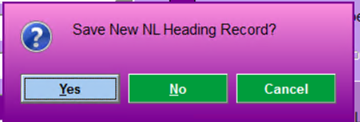
- Select Yes to the pop-up dialogue.
You have now created a new Nominal Heading and it is ready for use.